Buscar
Buscar páginas do site
Diese Seite ist noch nicht ins Deutsch übersetzt. Der Text unten ist auf English.
CONNECTION DIAGNOSTICS
RakNet, NetherNet, offline mode and accounts: the right path
A visual guide to diagnosing Geyser, Floodgate and Paper without changing configuration blindly.
Guide validated on 2026-09-24Geyser · Floodgate · ViaVersion
Authentication and transport are different layers
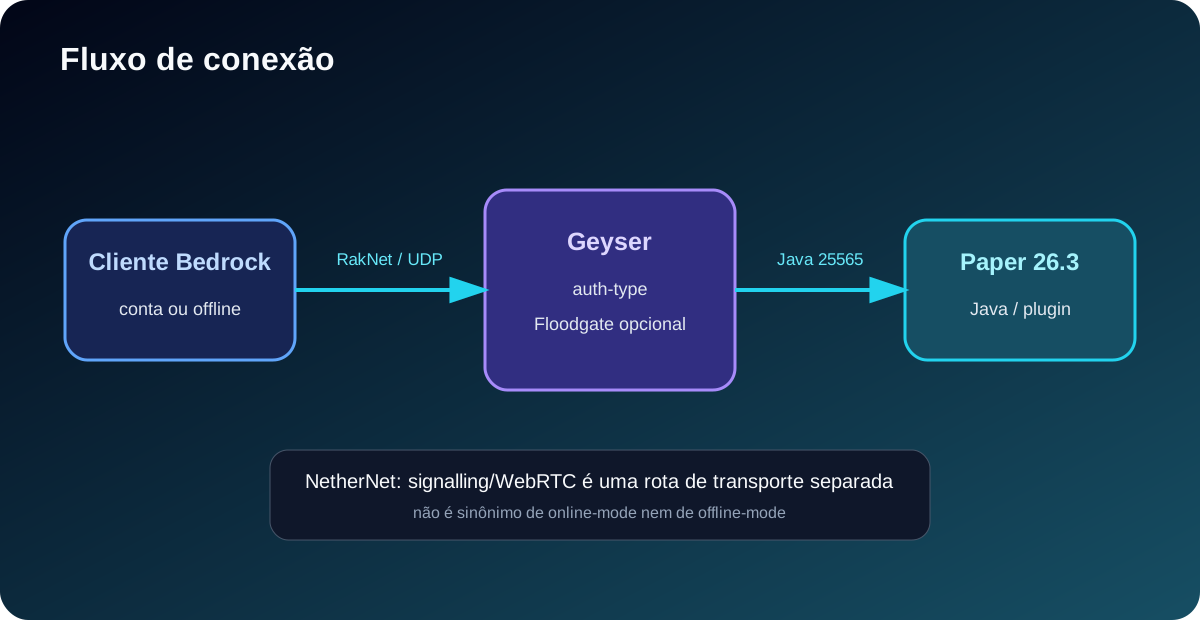
online-mode controls Java authentication. RakNet and NetherNet control how a Bedrock client reaches the server. Neither one selects the other.
online-mode=false
UUID/offline ou Floodgate
transport: raknet | nethernet | both
Rota de transporte Bedrock

Bedrock connection flow
Geyser converts Bedrock → Java. Floodgate handles Bedrock identity. ViaVersion converts Java versions when it is in the correct path.
RakNet
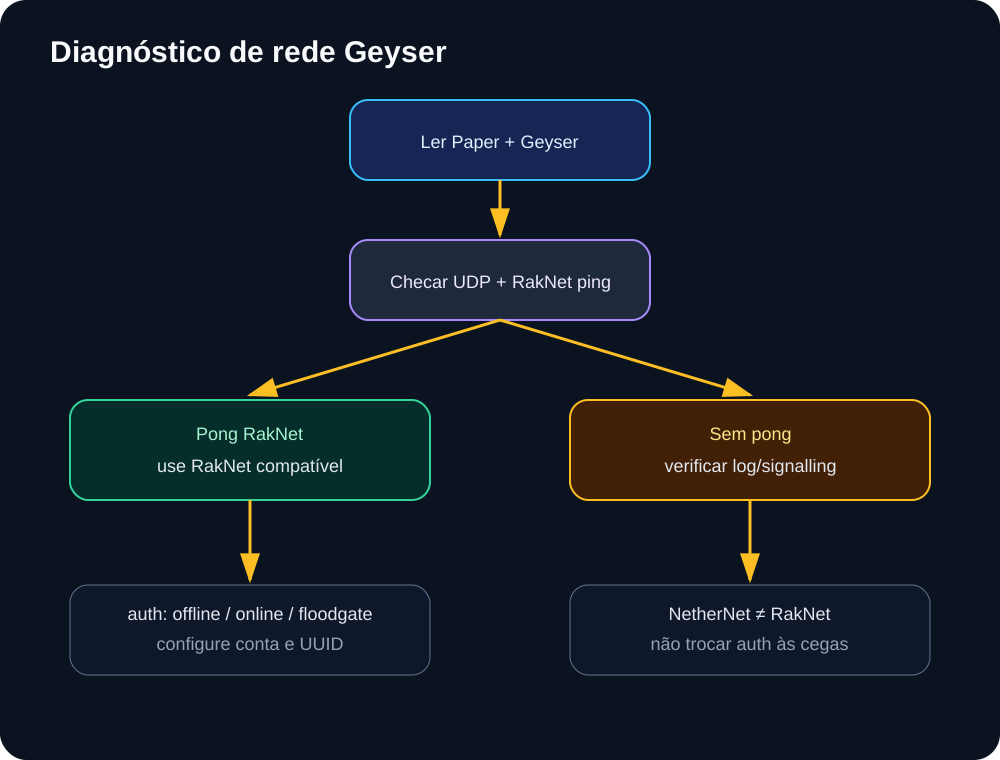
Traditional UDP transport. The script confirms it with an unconnected ping/pong.
UDP 19132/19134 → unconnected ping 0x01 → pong 0x1C
NetherNet
WebRTC transport with signalling. It does not appear as a normal UDP pong.
signalling → WebRTC → dados Bedrock
Practical rule
If Geyser is configured as raknet, use RakNet. If it is nethernet, validate signalling/WebRTC. In both mode, the two routes need separate ports. Do not change auth-type just because transport changed.
Diagnose in 4 steps
01
Read online-mode and auth-type
Check server.properties and plugins/Geyser-Spigot/config.yml. Never publish management-server-secret, key.pem or passwords.
02
Check the UDP port
The Bedrock endpoint should appear on UDP. Java normally uses TCP 25565; Geyser uses the configured Bedrock port.
03
Run the probe
The probe separates RakNet pong, NetherNet configuration and signalling evidence in the log.
04
Read the result
For offline + floodgate, keep the Floodgate key. For online + online, the Java account must be valid. On failure, copy the literal error.
Diagnostic command
diagnose-geyser-network.py
python3 scripts/diagnose-geyser-network.py --server-properties server.properties --geyser-config plugins/Geyser-Spigot/config.yml --log logs/latest.log --format markdownO comando fica no repositório em scripts/diagnose-geyser-network.py e não imprime segredos.
Common cases
Paper offline + Floodgate
Use auth-type floodgate, keep the key and use the configured RakNet endpoint. This is the local server case that was analysed.
Paper online + Java account
Use auth-type online. Transport can be RakNet or NetherNet depending on client and build; online-mode does not define it.
Incompatible configuration
If the log says duplicate_login, it is not a RakNet problem. A second session has the same identity; stop the old session before reconnecting.
What this guide does not invent
A ping does not prove plugin presence, does not sync account data and does not make Forge/Fabric compatible. For mods, use the separate compatibility diagnosis.
Official references